Category Archives: Clarion 12

Understanding USTRING: A Deep Dive into Clarion 12’s UTF-16 Implementation

This post focuses on practical details and what they mean for your day-to-day development, with an eye toward where we’re headed next.

In our previous article, we announced the USTRING data type was coming back, and its intended role in Clarion 12’s Unicode support. Now, let’s explore the implementation details that will help you work more effectively with the USTRING.

USTRING is UTF-16: What This Means for You

At its core, the USTRING data type uses UTF-16 encoding, allocating two bytes per character. This architectural decision provides several key advantages:

  • Native Windows support: Windows internally uses UTF-16 for all Unicode operations, making USTRING integration seamless
  • Fixed-width benefits: Most common characters (including all Latin, Cyrillic, Greek, and CJK characters in the Basic Multilingual Plane) use exactly 2 bytes, simplifying string indexing
  • Complete Unicode coverage: Through surrogate pairs, UTF-16 can represent every Unicode character
  • Predictable memory usage: Easy calculation of memory requirements
Name     USTRING(21)              ! 21-character Unicode string
Company  USTRING('SoftVelocity')  ! Initialized with a value
Phone    USTRING(@P(###)###-####P) ! Formatted with picture token
MyStr    USTRING(20)              ! 20 characters available

When you declare USTRING(20), you’re reserving space for 20 characters plus a null terminator. Internally, this allocates 42 bytes (21 characters × 2 bytes each).

Memory Layout: USTRING(20)

Declaration:  USTRING(20)
Allocation:   [    40 bytes for 20 characters    ][2 bytes null]
              |<────────── 20 chars × 2 bytes ─────>|
Total Size:   42 bytes

Example with "Hello":
Position:     1    2    3    4    5    6-20  21
Character:    H    e    l    l    o    (empty) \0
Bytes:       [H ][e ][l ][l ][o ][  ...  ][\0]
              2   2   2   2   2      30      2
                                          WCHAR(0)
              <─── 40 bytes for data ────> <2>

Total: 42 bytes allocated (40 for characters + 2 for null terminator)

Important: The null terminator WCHAR(0) occupies 2 bytes because it’s a wide character, just like every other character in the string. This is how functions like lstrlenW know where the string ends—they scan for this 2-byte null value.

Dual Character Set Support: The Best of Both Worlds

One of USTRING’s practical strengths is transparent handling of both Unicode and ANSI content. You can freely mix Unicode literals and ANSI strings in your code:

MYUSTR  USTRING(50)

CODE
  MYUSTR = u'Α Ω'            ! Greek Unicode characters
  MYUSTR = 'Regular Text'    ! ANSI text works too
  MYUSTR = u'Mix: ' & 'Α Ω' ! Concatenate both types

The runtime handles conversions automatically, respecting the current code page settings. When working with international applications, you can set the code page and locale to ensure proper character handling:

SYSTEM {PROP:Codepage} = 1253   ! Greece
SYSTEM {PROP:Locale} = 1032     ! Greece

LEN() vs SIZE(): A Critical Distinction

This is where developers first encounter USTRING’s two-byte nature. The distinction between LEN() and SIZE() directly reflects the UTF-16 implementation:

MYUSTR  USTRING(20)
L       LONG
S       LONG

CODE
  MYUSTR = u'Α Ω'            ! 3 Unicode characters
  L = LEN(MYUSTR)            ! L = 3 (character count)
  S = SIZE(MYUSTR)           ! S = 40 (20 characters × 2 bytes)

LEN() returns the logical length—the number of characters actually stored in the string. This is what you typically care about when processing text.

SIZE() returns the allocated byte capacity. For a USTRING(20), SIZE() always returns 40, regardless of how many characters you’ve stored. This represents the maximum storage available.

Understanding this distinction matters when:

  • Allocating buffers for string operations
  • Interfacing with external APIs that expect byte counts
  • Optimizing memory usage in data structures
  • Working with file I/O operations

How SIZE() Actually Works

For fixed-size declarations like USTRING(20), SIZE() is calculated by the Clarion compiler at compile-time. The compiler knows the capacity is 20 characters and generates code that returns 20 × 2 = 40 directly—no runtime function call needed.

This is why SIZE() is so fast: it’s just a constant value, not a calculation that happens when your code runs.

When LEN() and SIZE() Differ: A Practical Example

UserInput  USTRING(100)      ! Allocated capacity: 100 chars
Bytes      LONG
Chars      LONG

CODE
  UserInput = ''             ! Empty string
  Chars = LEN(UserInput)     ! Chars = 0 (no content)
  Bytes = SIZE(UserInput)    ! Bytes = 200 (capacity still allocated)

  UserInput = u'Hi'          ! Short string
  Chars = LEN(UserInput)     ! Chars = 2 (actual content)
  Bytes = SIZE(UserInput)    ! Bytes = 200 (capacity unchanged)

  ! Key insight: SIZE() never changes after declaration
  ! LEN() reflects actual content

Memory Allocation: Understanding the 2:1 Ratio

When you declare a USTRING, the actual memory allocated is double the character count you specify:

Small   USTRING(10)              ! Allocates 20 bytes (10 × 2)
Medium  USTRING(100)             ! Allocates 200 bytes (100 × 2)
Large   USTRING(1000)            ! Allocates 2000 bytes (1000 × 2)

Right-Sizing Your Strings

Choose appropriate sizes to avoid wasting memory. Here’s what oversizing costs:

! Good - sized appropriately
FirstName  USTRING(50)            ! 100 bytes allocated

! Wasteful - unnecessarily large
UserName   USTRING(500)           ! 1000 bytes allocated
                                  ! If only ~50 chars used: 100 used, 900 wasted

Comment    USTRING(5000)          ! 10,000 bytes allocated
                                  ! If only ~100 chars used: 200 used, 9,800 wasted

When Memory Size Actually Matters

Understanding when to worry about USTRING memory overhead:

! Scenario 1: Single string - overhead is negligible
CustomerName  USTRING(100)     ! 200 bytes total
! Impact: Minimal - 100 extra bytes compared to ANSI

! Scenario 2: Large collections - overhead multiplies
CustomerQueue QUEUE
Name            USTRING(100)   ! 200 bytes
Address         USTRING(200)   ! 400 bytes
City            USTRING(50)    ! 100 bytes
              END

! Impact with 100,000 records in queue:
! USTRING: 70,000,000 bytes (70 MB)
! STRING:  35,000,000 bytes (35 MB)
! Difference: 35 MB - this is where sizing matters!

! Or with an array:
CustomerArray USTRING(100), DIM(100000)  ! 20,000,000 bytes (20 MB)
! vs STRING(100), DIM(100000)            ! 10,000,000 bytes (10 MB)

Rule of thumb: For individual strings, use generous sizes. For large queues, arrays, or tables, size more carefully.

Design-Time vs Runtime Allocation

! Design-time: Fixed size declared in source
MyStr  USTRING(100)          ! 200 bytes allocated at compile time

! Runtime: Dynamic allocation with NEW
MyStr &USTRING               ! Reference to dynamically allocated string
CODE
  MyStr &= NEW USTRING(100)  ! 200 bytes allocated at runtime

Design-time declarations have a maximum size of 4MB, while runtime allocations can be sized dynamically based on your application’s needs.

Working with Unicode Literals

When initializing or assigning to a USTRING, use the U or u prefix for Unicode literals:

MyStr USTRING(50)
CODE
  MyStr = U'Ω α β'     ! Correct - U prefix for Unicode
  MyStr = u'Ω α β'     ! Also correct - lowercase works too
  MyStr = 'Ω α β'      ! Works but may not preserve Unicode properly

Practical Implications for Your Code

Character Access is Read-Only on Assignment

You can read individual characters using slice syntax, but cannot assign to them:

C = MyStr[5]        ! Read character at position 5 - ALLOWED
MyStr[1] = 'A'      ! ERROR - Not allowed, creates invalid string

This restriction maintains string integrity in the UTF-16 implementation.

Use LEN() for Logic, SIZE() for Memory

! Correct usage
IF LEN(UserInput) > 0            ! Check if string has content
  ! Process input
END

! Memory allocation calculation
BytesNeeded = SIZE(MyStr)        ! Get total allocated bytes

Current Limitations

The current implementation doesn’t support Unicode strings in these specific contexts:

  • EVALUATE statement
  • MATCH built-in function
  • STRPOS built-in function

These are implementation-specific constraints that may be addressed in future releases.

Working Example: Practical USTRING Usage

MAP
  MODULE('API')
    GetSystemInfo(*LONG, *LONG), PROC, RAW, PASCAL, NAME('GetSystemInfo')
  END
END

MyName    USTRING(50)
MyCompany USTRING(100)
FullInfo  USTRING(200)
CharCount LONG
ByteCount LONG

CODE
  ! Assign Unicode content
  MyName = u'Αλέξανδρος'       ! Greek name
  MyCompany = u'SoftVelocity'   ! Company name
  
  ! Concatenate strings
  FullInfo = MyName & u' - ' & MyCompany
  
  ! Get character count and byte size
  CharCount = LEN(FullInfo)     ! Actual characters in string
  ByteCount = SIZE(FullInfo)    ! Total bytes allocated
  
  ! Display results
  MESSAGE('Name: ' & MyName & |
          '|Characters: ' & CharCount & |
          '|Bytes Allocated: ' & ByteCount)

Behind the Scenes: What Happens When You Concatenate

When you write a string expression like this:

Result = FirstName & ' ' & LastName

The Clarion runtime evaluates it using a string stack—a temporary workspace for building the final result. Here’s the step-by-step process:

String Expression Evaluation

Step 1: Push FirstName onto stack       → Stack: [FirstName]
Step 2: Push ' ' onto stack             → Stack: [FirstName][' ']
Step 3: Concatenate top 2 items         → Stack: [FirstName ]
Step 4: Push LastName onto stack        → Stack: [FirstName ][LastName]
Step 5: Concatenate top 2 items         → Stack: [FirstName LastName]
Step 6: Pop result into Result variable → Result gets final string

This stack-based approach doesn’t create temporary variables that need cleanup. The runtime handles all intermediate strings automatically, and they vanish when the expression completes.

Why this matters for you:

  • Write complex expressions freely – No performance penalty for chaining operations
  • No memory leaks – Intermediate results are cleaned up automatically
  • Thread-safe by design – Each thread has its own string stack, no locking needed
  • Efficient memory use – Stack allocation is faster than heap allocation for temporaries

Performance Implication

The string stack is why expressions like Name = FirstName & ' ' & MiddleName & ' ' & LastName don’t create memory leaks or slow down your application. Each intermediate result (FirstName & ' ', etc.) exists only temporarily on the stack and is automatically cleaned up.

Best practice: Write natural, readable string expressions. The runtime is optimized for this pattern.

Common Pitfalls and How to Avoid Them

Pitfall 1: Using SIZE() When You Mean LEN()

! WRONG - This won't work as expected
Name  USTRING(50)
CODE
  Name = u'John'
  IF SIZE(Name) > 10         ! Always TRUE (SIZE is 100, not 8)
    ! This always executes
  END

! CORRECT - Use LEN() for content checks
  IF LEN(Name) > 10          ! FALSE (LEN is 4)
    ! This executes only when needed
  END

Pitfall 2: Buffer Size Confusion

! WRONG - Allocating based on character count for bytes
Name     USTRING(50)
Buffer   STRING(LEN(Name))    ! Too small! Only 50 bytes, need 100

! CORRECT - Use SIZE() for byte allocations
Buffer   STRING(SIZE(Name))   ! Correct: 100 bytes

Pitfall 3: Forgetting the U Prefix

Greek  USTRING(20)
CODE
  ! INEFFICIENT - ANSI string converted to Unicode at runtime
  Greek = 'Αθήνα'

  ! EFFICIENT - Direct Unicode assignment, no conversion
  Greek = u'Αθήνα'

Migration from STRING to USTRING: Real Examples

Example 1: Buffer Sizing

! Before (ANSI STRING)
Name    STRING(50)           ! 50 bytes
Buffer  STRING(SIZE(Name))   ! 50 bytes

! After (USTRING)
Name    USTRING(50)          ! 100 bytes (50 × 2)
Buffer  STRING(SIZE(Name))   ! 100 bytes - SIZE() handles it correctly

Example 2: Loop Iterations

! Before (ANSI STRING)
Text  STRING(100)
I     LONG
CODE
  LOOP I = 1 TO LEN(Text)    ! Good - use LEN() not SIZE()
    ! Process Text[I]
  END

! After (USTRING)
Text  USTRING(100)
I     LONG
CODE
  LOOP I = 1 TO LEN(Text)    ! Same - LEN() still correct
    ! Process Text[I]
  END
  ! KEY: LEN() works the same way for both types!

Example 3: API Calls

! Before (ANSI STRING)
Buffer  STRING(1000)
Size    LONG
CODE
  Size = SIZE(Buffer)        ! 1000 bytes
  ! Pass Size to Windows API expecting byte count

! After (USTRING)
Buffer  USTRING(1000)
Size    LONG
CODE
  Size = SIZE(Buffer)        ! 2000 bytes (1000 × 2)
  ! SIZE() correctly returns byte count for Unicode APIs

Migration Considerations

When moving existing ANSI string code to USTRING:

  • Use LEN() for character-based logic, not SIZE()
  • Add U prefix to string literals containing Unicode characters
  • Test with international character sets if your application supports them
  • Be aware of the EVALUATE, MATCH, and STRPOS limitations
  • Review buffer size calculations—you may need double the byte count you used with ANSI

Looking Forward

The USTRING implementation provides a solid foundation for Unicode support while maintaining the Clarion language’s characteristic simplicity. The UTF-16 encoding, dual character set support, and clear LEN/SIZE distinction give you the tools needed for modern, international applications.

Key takeaways:

  • USTRING uses UTF-16 encoding (2 bytes per character)
  • Automatic conversion between ANSI and Unicode character sets
  • LEN() returns character count; SIZE() returns byte count
  • USTRING(n) allocates n × 2 bytes of memory
  • Code page awareness ensures proper locale handling
  • Runtime uses string stack for efficient expression evaluation

Thanks for being part of the Clarion community. If you try this out, let us know what you think — and stay tuned, there’s more to come.


Related: Clarion 12 Beta: USTRING Returns ANSI & Unicode

Clarion 12 Beta: USTRING Returns (ANSI + Unicode)

What’s shipping in the mid-January beta

In mid-January we’ll be releasing a Clarion 12 beta that brings back USTRING.

TL;DR

  • Clarion 12 beta (mid-January) reintroduces USTRING.
  • USTRING is updated to handle both ANSI and Unicode strings.
  • A Clarion 12 maintenance update for the current shipping release will be published at the same time.
  • The beta is intended for side-by-side installation in a separate folder.
  • This beta focuses on predictable behavior and clearer intent in string handling.
  • You can evaluate the change incrementally before the next full release.

Also shipping: Clarion 12 maintenance update

At the same time as the beta, we’ll also be releasing an updated maintenance build for the current shipping version of Clarion 12.

Install notes (side-by-side)

The Clarion 12 beta is intended to be installed into a separate folder so you can keep your production Clarion 12 install intact and evaluate the beta side-by-side.

Why USTRING is back

Clarion developers care about two things when it comes to string handling: correctness and stability. In Clarion 12 we explored making Unicode capability available through the existing STRING type with a strong emphasis on minimizing impact to existing code. Since then, we’ve continued testing and listening to practical, real-world feedback about how developers want to work with strings.

The mid-January beta takes a more explicit approach: USTRING returns, and has been updated to handle both Unicode strings and regular ANSI strings.

What this means for day-to-day development

  • Clearer intent: USTRING makes it obvious (at the declaration level) that a value may be Unicode-aware.
  • Practical compatibility: USTRING is designed to work with both ANSI and Unicode content, so you can adopt it where it makes sense.
  • Incremental evaluation: You can test this beta in focused areas first (utilities, import/export, API edges, UI text, etc.).

Impact and rollout

This is a beta release, so the goal is to give you something you can run against real applications and real data. If you have areas of your app that are particularly string-heavy (parsing, formatting, concatenation, report output, external integrations), those are the best candidates for early testing.

Your feedback is what helps us validate the edge cases and ensure this lands in a way that improves the day-to-day experience for Clarion developers.

What’s next

We’ll follow up with more concrete notes as the beta is delivered (including any implementation details and feedback from early testers). The direction is straightforward: keep Clarion development productive today while continuing to modernize the foundations for what comes next.

We’re excited to start the new year with both the beta release and a maintenance update release for the shipping version of C12. If you try this beta, let us know what you think — and stay tuned, there’s more to come.

Merry Christmas from SoftVelocity!

And Thank you for all the support this year!

Clarion 12 is released


Clarion 12 Release

Clarion 12 is Here: Smarter, Faster, and Built for the Future

We’re excited to announce the official release of Clarion 12!

After a marathon development journey, this release delivers 100% backward compatibility and introduces powerful new features to enhance your development experience. Clarion 12 ensures your existing projects compile seamlessly — even those pushing the limits of the C11 compiler and runtime library (RTL) — while laying the groundwork for 64-bit binaries in the next release (C12 currently produces 32-bit binaries).


✨ What’s New in Clarion 12?


  • Just about every important IDE component, and close to 65% of the Runtime Library has been refactored, optimized and adjusted in preparation for the move away from the Topspeed compiler technologies and into a modern compiler architecture – it was both necessary and meticulous work required to get to the end goal of 64-bit. We’ve posted about version 12 many times, but here is a recap of some of the more recent and significant changes.

  • Improved Unicode Support with a Refactored STRING Type

    We’ve eliminated the complications of managing two string data types (STRING/USTRING). The improved STRING type simplifies working with Unicode, making your apps more compatible with global languages — and, perhaps most importantly, ensures 64-bit readiness for future updates.

  • Compiler Performance Improvements

    You’ll notice faster compilation times and improved code generation, making the dev cycle smoother and more efficient.

  • Foundation for 64-Bit Compatibility

    We’ve made significant improvements to the runtime library, laying the foundation for full 64-bit compilation in an upcoming release. This ensures Clarion remains future-proof for all of your projects.

  • “Check for Updates”

    On the IDE “Start Page” you’ll find a new Check for Updates button option that allows you to keep you up to date incrementally and effortlessly. When run, it displays details on any available updates, your subscription coverage, and links to your purchased products. Enhancements and Bug fixes to the IDE, RTL, drivers, and templates will reach you faster. When an update is available you can download and install the new version right from the IDE.

Let us know what you think, and thanks for being a part of the Clarion community!


Clarion 12 news

The Clarion 12 release was delayed past our initial January 1st target as we maintained our traditional end-of-year break, I had planned for us to work straight through but decided we needed the break to recharge. Here’s something else that is new in this release.

Microsoft SQL Server Driver Updates

We’ve rebuilt the Microsoft SQL Server driver with some new capabilities:

Security

  • TLS 1.2/1.3 support with related configuration options
  • Column-level encryption
  • Support for Server Certificate validation (including self-issued certificates)
  • Improved error handling for security operations

Note: these features require the Microsoft ODBC Driver 17+

Version Support

  • SQL Server 2005 through 2022
  • SQL Server on Linux
  • Azure SQL Database
  • Existing connection strings and configurations remain valid unchanged

Azure SQL Database Support

  • Azure Active Directory and Managed Identity authentication
  • Failover group support
  • Region-aware connectivity
  • Elastic pool connections

Backward Compatibility

As with all our releases, Clarion 12 maintains 100% backward compatibility. Existing applications will work without modification, and all new features are opt-in.

General ODBC Driver Improvements

The SQL Server driver improvements extend into our entire ODBC stack:

  • Refactored connection handling
  • Enhanced custom connection string support
  • More detailed error handling
  • Full compatibility with existing applications

PostgreSQL Support

Our ODBC driver layer provides enhanced support for the official PostgreSQL ODBC driver:

  • Improved connection string handling
  • Enhanced error reporting
  • Full compatibility with PostgreSQL’s native ODBC capabilities

SQLite Updates

And we’re working on new SQLite features:

  • In-memory database support
  • Improved transaction handling
  • Better concurrent connection management

Next

We’ll soon provide a web application where developers can sign up to test upcoming AI features in the IDE. The database improvements in this release are complete and are in final testing. We need a few more days of testing before we announce C12 GA. Thanks for you support and patience!

Clarion 12 – Upcoming release

Embracing the Future

We’re excited to announce the upcoming release of Clarion 12. While the release timeline has extended beyond our initial projections, we’ve used this additional development time to implement improvements that will benefit our entire developer community.

A significant improvement emerging from this extended development period involves our string handling architecture. While we had previously announced the introduction of a USTRING type to handle Unicode alongside the traditional STRING type for ANSI strings, we’ve arrived at a more elegant solution. Clarion 12 will feature a unified, enhanced string type that provides superior Unicode support while maintaining complete backwards compatibility. This streamlined approach not only simplifies development but also paves the way for an easier transition to 64-bit compilation in the future.

Beyond this architectural refinement, much of Clarion 12’s development has focused on building a solid foundation for future capabilities. We’ve made important internal improvements that, while not immediately visible, strengthen the platform’s core and prepare it for upcoming features.

Introducing AI-Powered Development

Clarion 12 marks our entry into AI-assisted development with a flexible, pragmatic approach. While our initial focus was on local LLM integration, we’ve built the system to accommodate any external LLM as we progress. During testing, we recognized that even machines well-suited for traditional software development might not handle local LLM processing efficiently. We’ve conducted extensive experiments with the LLaMA 3 series and various smaller models as local options, keeping the default choice flexible to accommodate different development environments.

This isn’t just another code completion tool – it’s a comprehensive coding assistant that truly understands (with your help) your application’s context and needs. For developers who prefer or require cloud-based solutions, we’ll also offer commercial AI integration options. This dual approach ensures everyone can access these powerful features, regardless of their local hardware capabilities.

Business AI: Today and Tomorrow

Clarion 12 introduces AI capabilities starting with practical IDE enhancements that streamline your development process. This is just the beginning of our AI journey. Just as websites became essential for business success in the 1990s, AI integration in business applications is becoming crucial for maintaining competitive advantage today. We’re laying the groundwork for you to capitalize on this opportunity.

Current IDE Intelligence

In this release, Clarion 12 includes AI tools to analyze your existing applications and suggest potential enhancements:

  • Comprehensive application scanning and analysis
  • Intelligent feature recommendations based on your specific business domain
  • Vector database creation for deep application understanding
  • AI-powered development assistance and code insights

Future Application AI

In upcoming releases, you’ll be able to integrate AI directly into your business applications:

  • Ready-to-use semantic search capabilities
  • Vector database integration with standard SQL databases
  • AI features that don’t require machine learning expertise
  • Templates and frameworks for easy AI integration into your applications

This phased approach ensures you can start benefiting from AI immediately in your development process while preparing for the next wave of AI-enhanced business applications.

System Requirements

For local AI features:

  • Minimum 16GB RAM
  • Modern CPU (12th gen Intel or AMD Ryzen 7000 series or newer recommended)
  • Windows 11 recommended (Windows 10 compatible but not officially supported for all AI features)

Standard Clarion development requirements remain unchanged for non-AI features

Looking Ahead

The release of Clarion 12 represents more than just an update – it’s a strategic step toward empowering our development community with next-generation capabilities. By focusing on practical AI implementation and maintaining our commitment to efficient business application development, we’re ensuring that Clarion developers are well-positioned to meet evolving market demands.

The release will be available before year-end, with updated documentation. We are also pushing hard to complete additional training resources, including videos and detailed blog posts, to help you make the most of these new capabilities. We’re exploring the possibility of featuring Clarion 12 on the ClarionLive channel. Stay tuned for specific release date announcements and early access opportunities.

Get Ready

We encourage all developers to begin planning their upgrade to Clarion 12. The improvements in this release, combined with the foundational work for future enhancements, make this a crucial upgrade for staying competitive in today’s rapidly evolving software development landscape.

CIDC News: Upcoming releases and announcements

The Clarion conference in Orlando was filled with really good content and great speakers. This post is to report (summarize) some of the most relevant points I made in my presentation(s).

I started off with the most important news that the Clarion dev community is most interested in; the release schedule!

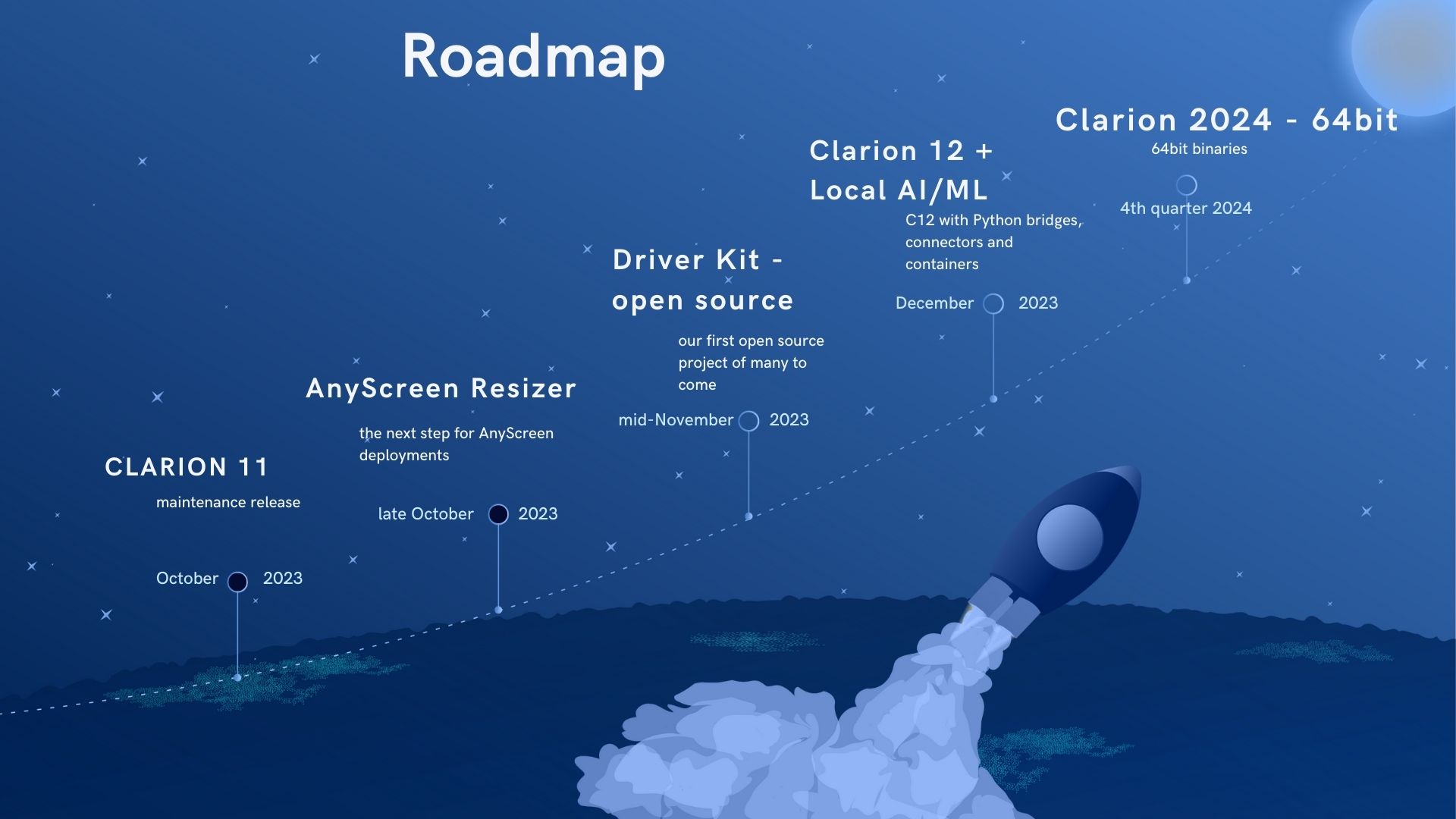
The image pretty much says it all, in short, we have an upcoming update for C11.1 which will be available in a couple of weeks. Related to the C11 update is the long awaited release of the AnyScreen resizer (the AS resizer needs a few changes that are included in the C11 update).

Here’s the projected timeline

I announced that we’re launching an open source project, the “Clarion Database Driver Kit”. This project provides the scaffolding and documentation for you to build your own fully Clarion-compliant driver.
Bruce J. of Capesoft already has a list of ideas that he intends to explore. I’ll post back when the project is available on GitHub.

Clarion 12 will release in December. I’ve talked and written a lot about the changes in C12, some are visual but most are internal. But something newly announced (and important) is the implementation of a pathway to making use of AI models (both local on-premises and cloud services). I put this screen up at the conference:

and this one:

No matter where you fall on the GenerativeAI spectrum, the use cases for database application developers are numerous. I’ll have to do a separate post to do justice to this topic.

Another important announcement was this:

We’ve started the process of putting the faithful TopSpeed C/C++ and Modula compilers into semi-retirement, and this image highlights some of the reasoning and benefits:

And just to be clear because I did get some questions on this topic, this change to the tech stack is for use internally in building the RTL and drivers, the [TopSpeed] Clarion compiler lives on!

Wrapping up this post, I made the point that there won’t be a Clarion 13. I’m not at all superstitious, but we’re still changing our version numbering to reflect the year of the release. So Clarion 2024 [64bit] is the release after C12, and it’ll be released by December 2024.

Clarion DevCon 2023

We’re all looking forward to the upcoming Clarion developers conference, where we’ll be presenting the improvements in Clarion 12, along with some exciting brand new recently implemented features. The conference is your opportunity to learn and understand the latest new functionality in Clarion, from some of the brightest developers across the globe.

The Clarion International Developer Conference (CIDC) 2023 is being held on September 11th to September 15th (Sept 11-12 are 2 days of optional training), followed by 3 days of Conference presentations (Sept 13-15). It’s being hosted at the Wyndham Hotel, Disney Springs, Orlando, Florida, USA.

                                https://www.cidclive.com – Find out more and register to attend, or submit a request to be a presenter here


CIDC 2022

The latest Clarion developer conference was hosted in Capetown, South Africa. From all accounts it was an excellent event! I was scheduled to do a remote presentation covering some of the future Clarion features. Unfortunately due to technical issues and scheduling problems I wasn’t able do the remote presentation. This post tries to capture and describe the key points of what was planned as a live remote presentation. I’ll be discussing this on ClarionLive on October 28th, 2022.

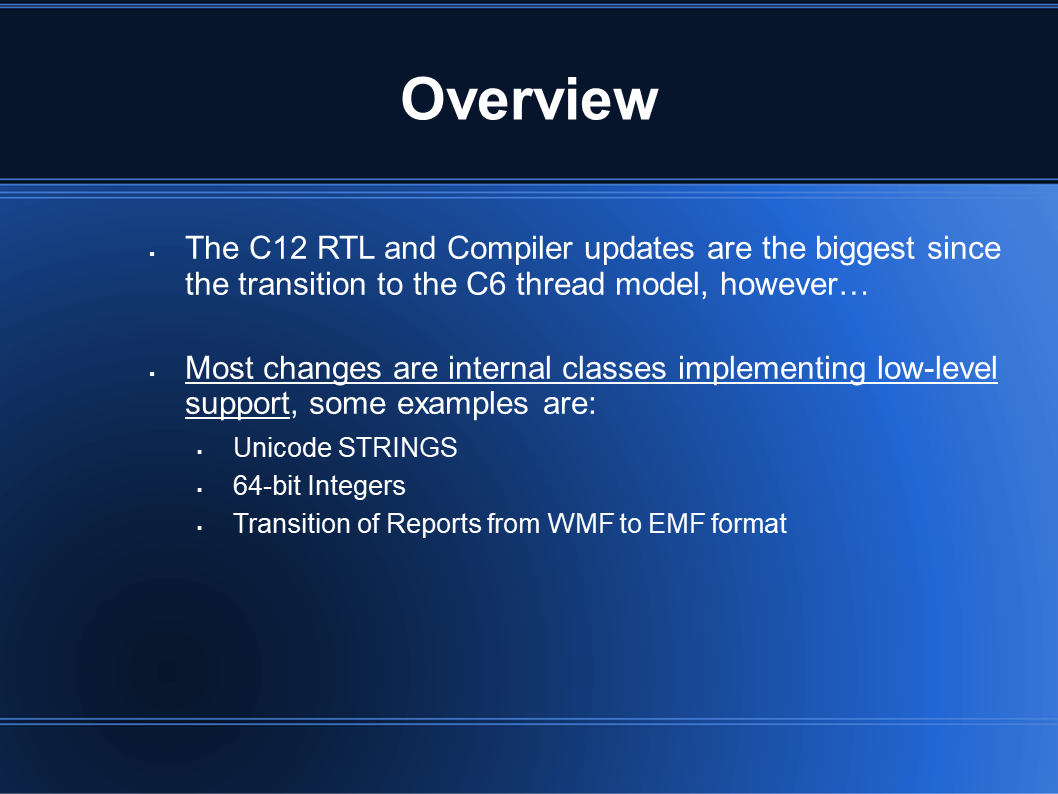
The key point is that the majority of new code in C12 is internal to the Runtime and the compiler, these are very important advances for the Clarion community.

The next area of development focus is on improvements for the End User Interface (the UI you present to your customers).

example of a few Listbox styles

Here we have a typical Listbox (with the arrow pointing to it), and the other three images are the same Listbox with additional standard Window Styles applied to them.

Setting additional Styles would be handled at runtime before the Window is displayed via a function call or a PROP call. We plan to have a global template where you set the Styles for any supported control by control-type, the Style settings cascade to a Procedure level template so that all affected control-types can share same style (with the ability to override at the Procedure level). Of course you can also use the function/PROP in hand-code or an appropriate Embed point.

These are the same Styles applied as they appear on Windows 11. I’m only showing the Listbox control, but every control supports standard styles beyond the styles applied by the Clarion runtime. It is a simple, yet impactful way for you to change the UI of your app and potentially enhance it.

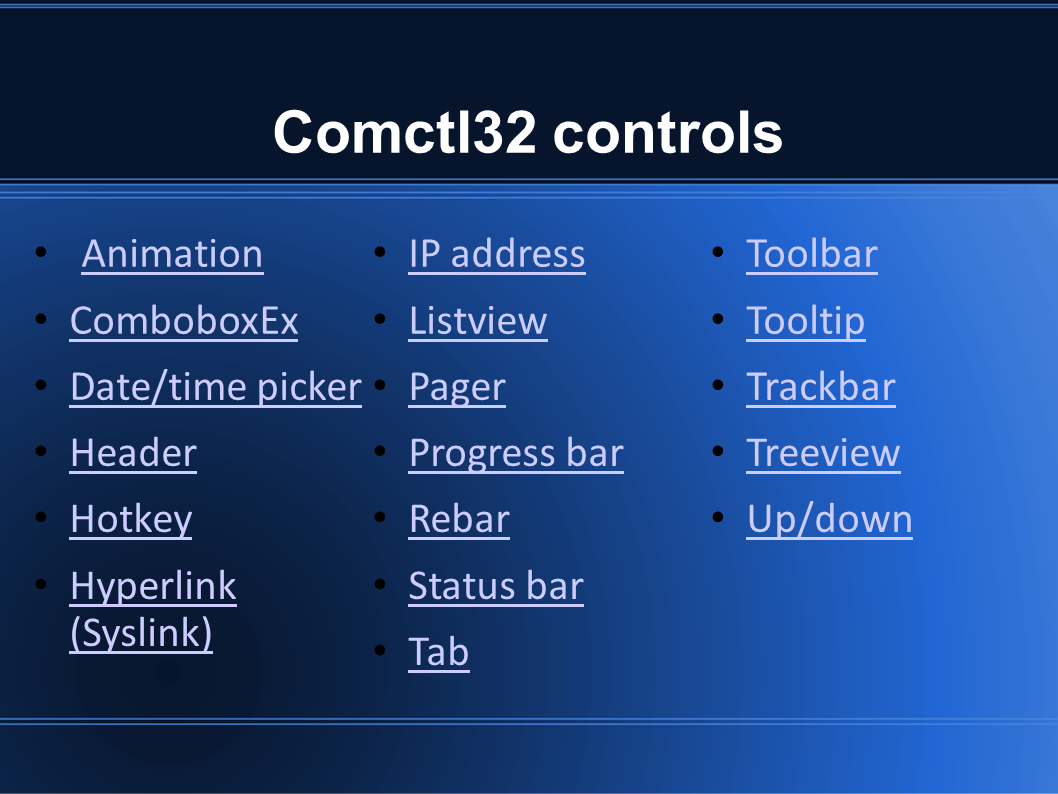
Additional ‘Common’ controls:

As we work toward adding support for additional controls the plan is to release them incrementally after the GA release of C12.

Here’s a rough timeline/history of the Microsoft UI for Windows developers:

After a deep dive into the .Net world, Microsoft has seemingly circled back to updating the Win API. The Windows App SDK targets both C++ developers and .Net developers.

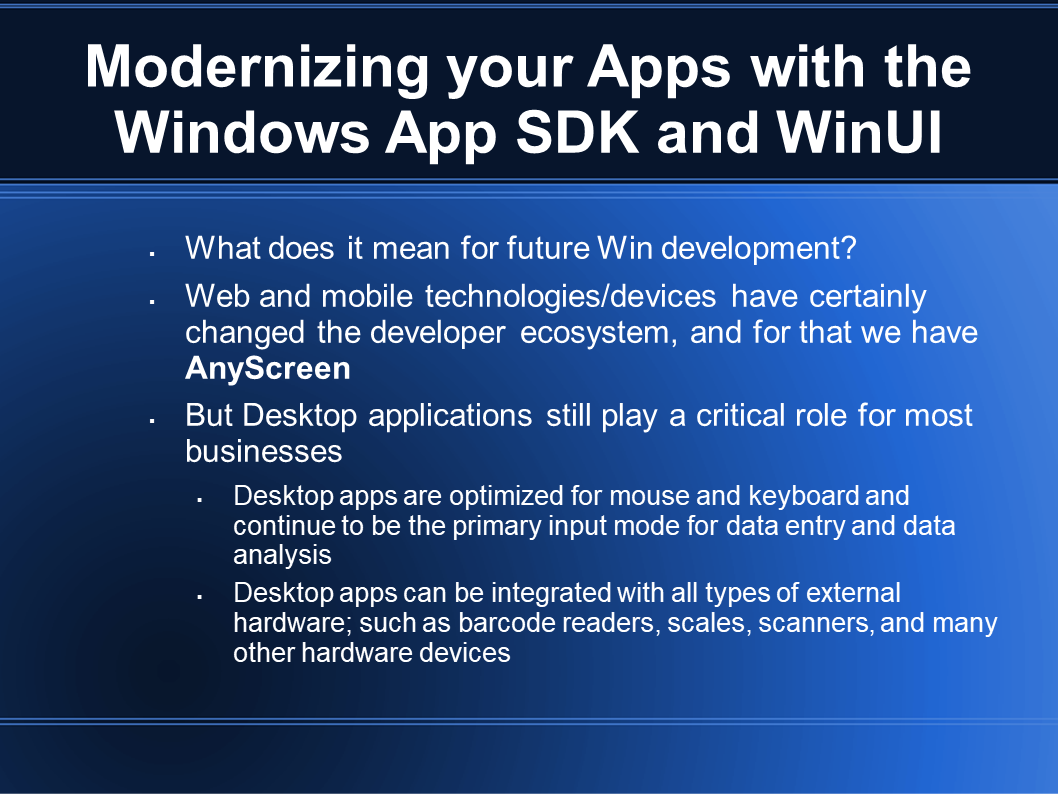
Desktop apps can be enhanced with mobile and cross platform solutions, but desktop apps continue on as a critical aspect for most businesses.